Are your WooCommerce product variations still stuck with boring dropdown menus? If so, you're losing sales — and your customers are losing patience.
The default WooCommerce dropdown for variable products is clunky, outdated, and a proven conversion killer. Shoppers want to see their options — colors, sizes, styles — at a glance. That's exactly why we built WooCommerce variation swatches into Woo Essential 4.1.0.
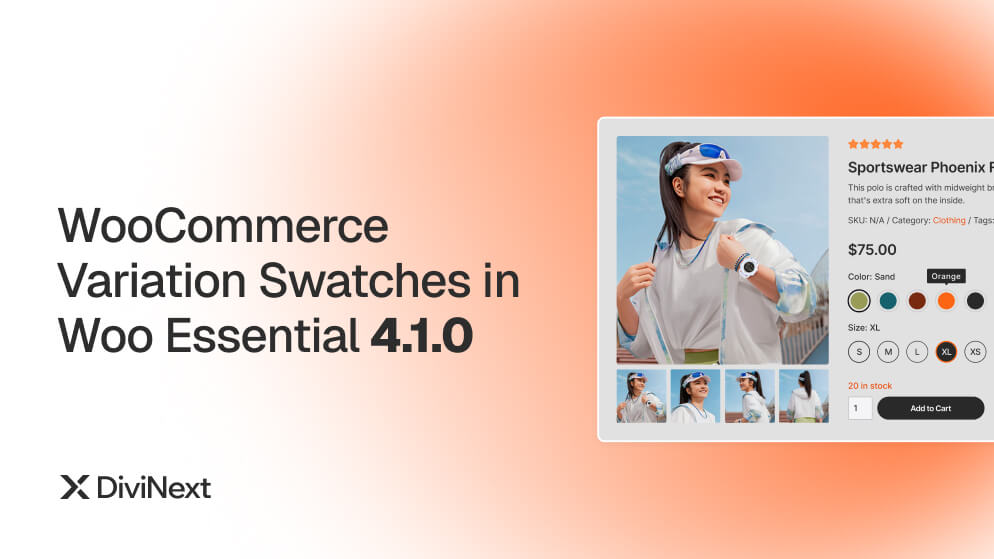
In this release, Divi store owners get a powerful new native module that replaces old-school dropdowns with beautiful, clickable swatches — color swatches, image swatches, and label swatches — fully customizable from the Divi Builder. No extra plugins. No performance trade-offs.
Here's everything you need to know.
What Are WooCommerce Variation Swatches?
WooCommerce variation swatches are visual selectors that replace the standard dropdown menus on variable product pages. Instead of forcing customers to open a dropdown and scroll through text options like "Red," "Blue," or "Large," variation swatches for WooCommerce display those options as interactive visual elements — instantly visible, immediately clickable.
There are three primary types of variation swatches for WooCommerce:
Color Swatches — Small colored circles or squares representing product colors. Customers instantly see every available color option without reading a single word of text. WooCommerce color swatches are the most common swatch type and work best for apparel, accessories, and home décor.
Image Swatches — Thumbnail images that show actual product visuals — patterns, textures, materials, or lifestyle shots. Essential for products where a color swatch alone doesn't tell the full story.
Label / Button Swatches — Styled text buttons displaying options like sizes (S, M, L, XL), quantities, or materials (Cotton, Polyester) in a clean, tappable format. Ideal for any text-based variation where visual representation isn't needed.
Why does this matter? Because visual decision-making is faster. Shoppers process images dramatically faster than text. When a customer can see that a jacket comes in navy, olive, and charcoal — without opening a dropdown — they make purchase decisions with speed and confidence. That speed translates directly into higher conversion rates.
Why We Added Woo Variation Swatches to Woo Essential
Woo Essential has always been the go-to WooCommerce builder for Divi. With 10+ modules, 90+ pre-built layouts, and full Divi 4 & Divi 5 compatibility, it gives store owners everything needed to design stunning product pages.
But there was a gap: product variation display.
Here's what Woo Essential users kept telling us:
"My products have 8 color options but the dropdown makes it look like they have none."
"Customers don't realize we offer multiple sizes because they never click the dropdown."
"I need swatches like the big brands — Nike, Zara, Amazon — but without installing 3 extra plugins."
With version 4.1.0, that gap is officially closed. WooCommerce color swatches, image swatches, and label swatches are now built directly into Woo Essential — no extra plugins, no compatibility headaches, zero performance bloat.
Key Features of WooCommerce Variation Swatches in Woo Essential 4.1.0
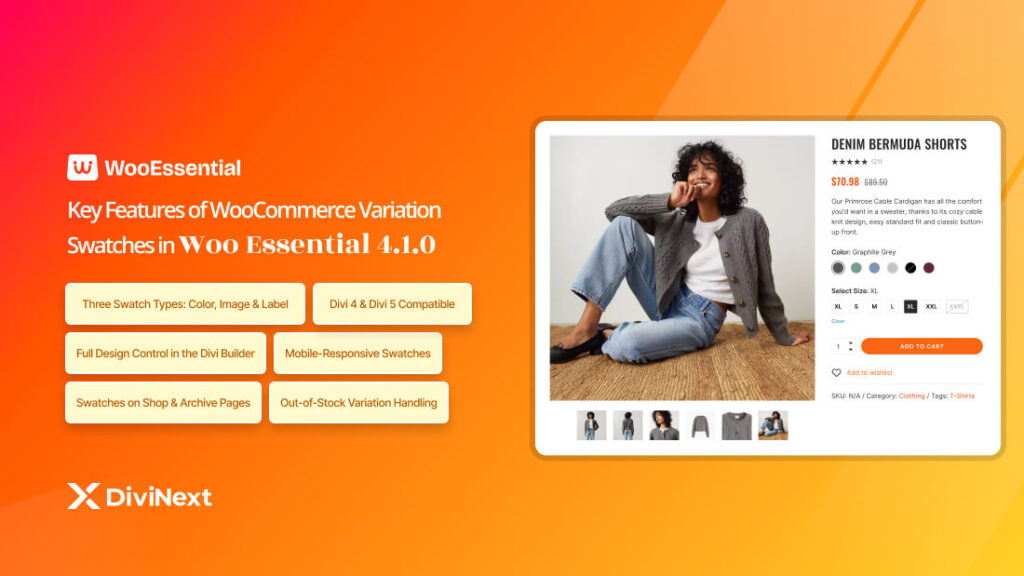
1. Three Swatch Types: Color, Image & Label
Choose the swatch type that fits your product best — or mix them on the same product page:
- Use WooCommerce color swatches for apparel, accessories, and home décor where color is the primary differentiator.
- Use image swatches for products with patterns, prints, textures, or material variations that need visual representation.
- Use label swatches for sizes, weights, quantities, or any text-based variation.
You can display colors as color swatches and sizes as label swatches simultaneously — on the same product page.
2. Full Design Control in the Divi Builder
Because Woo Variation Swatches are built as a native Divi module, you get point-and-click design control over every element — no CSS hacking required:
- Shape — Round, rounded square, or square swatches
- Size — Custom width and height per swatch
- Border — Color, width, and style for normal, hover, and active states
- Spacing — Adjust gaps between swatches
- Tooltips — Enable hover tooltips showing the variation name
- Active State Styling — Highlight the selected swatch with custom border, shadow, or scale effects
3. Swatches on Shop & Archive Pages
Most standalone variation swatches for WooCommerce only work on single product pages. Woo Essential goes further — you can display WooCommerce variation swatches on shop pages, category pages, and archive listings too.
Customers can switch between color variations right from the shop grid without ever opening the product page. It's the premium e-commerce UX used by top brands — now available natively in Divi.
4. Divi 4 & Divi 5 Compatible
Whether you're on the classic Divi 4 Builder or the new Divi 5 architecture, Woo Variation Swatches work seamlessly. The module supports both versions, so compatibility is never a concern during migration.
5. Mobile-Responsive Swatches
Swatches are fully responsive out of the box. On mobile devices, they automatically adjust sizing and spacing to remain tappable and user-friendly — no more tiny, unclickable dropdowns on small screens.
6. Out-of-Stock Variation Handling
When a variation is out of stock, you control exactly how the swatch behaves:
- Cross out — Display a diagonal line through the unavailable swatch
- Blur — Reduce opacity to indicate unavailability
- Hide — Remove the swatch entirely from view
This prevents customer frustration from accidentally selecting an option that's no longer available.
How WooCommerce Variation Swatches Improve Conversions
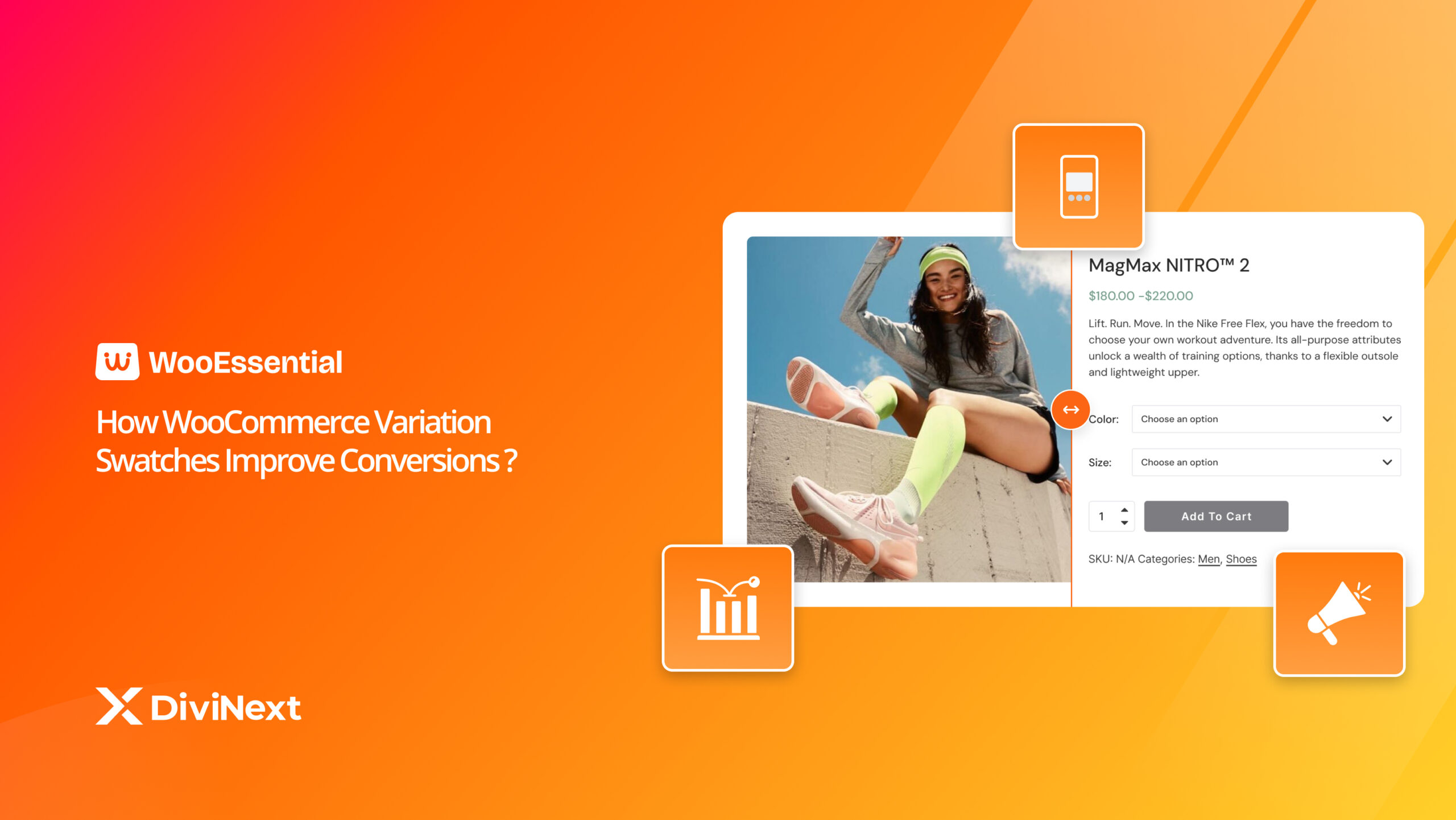
Adding variation swatches for WooCommerce isn't just a visual upgrade — it directly impacts your revenue. Here's how:
Faster Product Discovery
When all color and size options are visible at a glance, customers don't have to guess what's available. They see it, they click it, they buy it. Fewer clicks means a faster path to purchase — and fewer abandoned sessions.
Reduced Bounce Rate
A confusing product page with plain dropdowns often leads to abandonment. WooCommerce variation swatches make the shopping experience intuitive and engaging, keeping visitors on the page longer and moving them toward checkout.
Higher Average Order Value
When customers can easily see all available variations — especially with image swatches showing different styles — they're more likely to explore multiple options and add more items to their cart.
Better Mobile Experience
Over 70% of e-commerce traffic comes from mobile devices. WooCommerce color swatches are inherently more mobile-friendly than dropdowns. Tapping a color circle is faster and more natural than opening a dropdown menu on a small screen.
Professional Brand Perception
Stores using Woo Variation Swatches look more polished and trustworthy. It's the same UX pattern used by Amazon, Nike, Zara, and every major e-commerce brand. Your Divi store deserves the same standard — and now it has it.
How to Set Up WooCommerce Variation Swatches in Woo Essential
Getting started with WooCommerce variation swatches in Woo Essential is straightforward. Follow these five steps:
- Update to Woo Essential 4.1.0. Go to your WordPress dashboard → Plugins → Check for updates, or download the latest version from your Woo Essential account.
- Configure product attributes. Navigate to Products → Attributes in WordPress admin. Create or edit your attributes (e.g., Color, Size) and assign the swatch type — color, image, or label — to each attribute.
- Add variations to your product. Edit your variable product and create variations as you normally would in WooCommerce. Assign colors, images, or labels to each variation.
- Use the Divi Builder module. Open your product page template in the Divi Builder. Add the Woo Variation Swatches module and customize shape, size, spacing, tooltips, and active states — all visually, no code required.
Publish and test. Preview your product page, test on desktop and mobile, and you're live.
Woo Variation Swatches vs. Standalone Plugins: Why Choose Woo Essential?
There are standalone WooCommerce color swatches plugins on the market. Here's why Woo Essential is the better choice for Divi store owners:
|
Feature |
Standalone Plugins |
Woo Essential 4.1.0 |
|
Divi Builder Integration |
Limited or none |
✅ Native Divi module |
|
Visual Customization |
Basic settings panel |
✅ Full Divi design controls |
|
Archive / Shop Page Swatches |
Often premium-only |
✅ Included by default |
|
Divi 5 Compatibility |
Most don't support it |
✅ Full support |
|
Extra Plugin Required |
Yes — another plugin to maintain |
✅ No — built into Woo Essential |
|
Performance Impact |
Additional plugin overhead |
✅ Zero extra load |
|
Support |
Separate vendor |
✅ Unified DiviNext support |
The bottom line: if you're already using Divi + WooCommerce, a separate swatches plugin creates unnecessary complexity. Woo Variation Swatches in Woo Essential keeps everything under one roof — one plugin, one support team, zero conflicts.
Frequently Asked Questions
What are WooCommerce variation swatches?
WooCommerce variation swatches are visual selectors — color circles, thumbnail images, or styled text labels — that replace the default dropdown menus on variable product pages. They let customers see and select product options like color, size, or material with a single click, speeding up purchase decisions and improving conversion rates.
Does Woo Essential 4.1.0 support color, image, and label swatches?
Yes. Woo Essential 4.1.0 includes all three swatch types — WooCommerce color swatches, image swatches, and label/button swatches — in a single native Divi module with full visual customization from the builder.
Do I need a separate plugin for WooCommerce variation swatches?
No. If you are using Woo Essential 4.1.0, the Woo Variation Swatches module is already built in. No additional plugin is required, which eliminates performance overhead and compatibility issues.
Are Woo Essential variation swatches compatible with Divi 5?
Yes. Woo Essential 4.1.0 is fully compatible with both Divi 4 and the new Divi 5 architecture, so you can use variation swatches for WooCommerce regardless of which builder version you are on.
Can I show variation swatches on the shop page, not just the product page?
Yes. Unlike most standalone plugins, Woo Essential allows you to display WooCommerce variation swatches on shop pages, category pages, and archive listings — not just single product pages. Customers can switch between variations without ever leaving the shop grid.
Are the WooCommerce variations swatches mobile-responsive?
Yes. Woo Variation Swatches automatically adjust sizing and spacing for mobile devices, ensuring a smooth, tappable experience on all screen sizes out of the box.
Ready to Replace Your Dropdowns with Beautiful Variation Swatches?
WooCommerce variation swatches are no longer a luxury — they're a baseline expectation. Modern shoppers expect to see their options visually, not buried inside dropdown menus they may never click.
With Woo Essential 4.1.0, Divi store owners now have a native, fully integrated solution that delivers WooCommerce color swatches, image swatches, and label swatches — all customizable from the Divi Builder, compatible with Divi 4 & 5, and optimized for mobile. No extra plugins. No performance trade-offs. Just a better shopping experience that drives more conversions.
Update to Woo Essential 4.1.0 and start using Woo Variation Swatches today.