



WooCommerce Store Design With Divi 5 — Stop Losing Sales to Default Themes
WooCommerce powers 37% of all online stores. That’s the good news.
The bad news is that most of those stores look exactly the same. Default product grids, unstyled checkout pages, generic layouts that give visitors no reason to choose this store over the next one in their search results.
Design is not decoration in ecommerce — it is conversion infrastructure. Your WooCommerce store design with Divi 5 can either actively drive sales or quietly kill them. This guide covers what separates the two.
Why Default WooCommerce Store Design Fails
WooCommerce ships with functional defaults that are deliberately neutral — designed to work with any theme, not to convert for any specific store.
The result is predictable:
Product pages that list specs without selling benefits. No visual hierarchy. No urgency. No social proof placement.
Cart pages that feel transactional rather than reassuring. No trust badges. No shipping clarity. No upsell opportunity.
Checkout pages that leak conversions at the most critical moment. Too many fields. No progress indicators. No reassurance at the point of payment anxiety.
Category pages that display products in a grid and nothing else. No filtering, no editorial context, no reason to browse deeper.
Each of these is a fixable problem with the right WooCommerce store design approach in Divi 5.
The Anatomy of a High-Converting Product Page
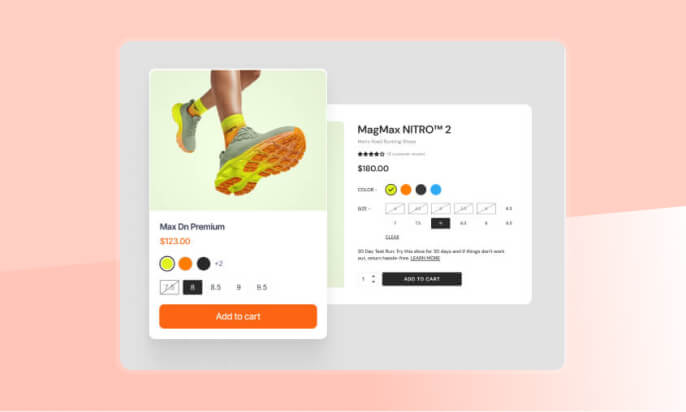
The product page is where purchase decisions are made. High-converting WooCommerce product pages built with Divi 5 share a consistent structure:
Above the fold: Product image gallery with zoom, product name, price with sale pricing clearly displayed, key benefit statement, high-contrast add-to-cart button, and 2–3 trust signals — returns policy, secure payment, delivery estimate.
Social proof block: Real reviews with star ratings, positioned just below the add-to-cart button — not buried at the bottom where purchase hesitation is lowest.
Benefits section: Not features — benefits. What does this product do for the customer? This is the copy that converts browsers into buyers.
FAQ section: Answer the three objections stopping the purchase. Price, shipping, returns, compatibility. Handle them on the page.
Cross-sell section: “Frequently bought together” positioned after the main product content — not as a sidebar afterthought.
Woo Essential gives you the Divi 5 WooCommerce modules to build every one of these sections natively inside the visual builder, without custom code.
Cart and Checkout: Where WooCommerce Store Design Matters Most
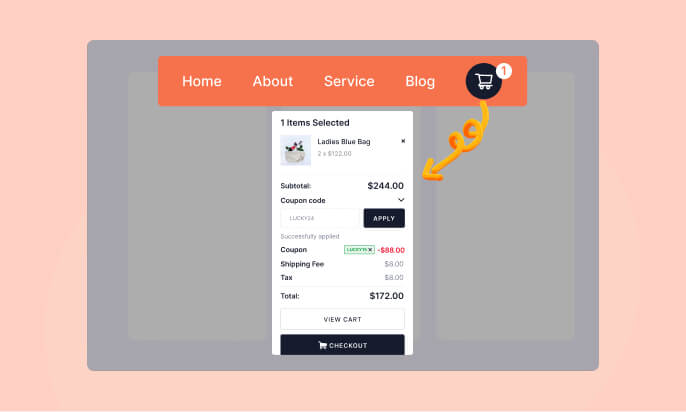
Most store owners optimize product pages and ignore cart and checkout. This is backwards.
A visitor who reaches the cart has already decided psychologically to buy. The job of cart and checkout design in Divi 5 is to not talk them out of it.
Cart optimizations:
- Clear product summary with image, not just text
- Editable quantities without page reload
- Shipping estimate calculator above the fold
- Trust badges near the checkout button
- Clean coupon application that doesn’t feel punishing
- Value-adding cross-sell below the cart
Checkout optimizations:
- Guest checkout prominently available
- Minimum required fields — every extra field increases drop-off
- Progress indicator for multi-step flows
- Trust signals at the payment section
- Clear order summary visible throughout
Woo Essential’s WooCommerce store design modules for Divi 5 give you full visual control over cart and checkout pages — something default WooCommerce makes unnecessarily difficult.
Category Pages: The Underrated Conversion Lever
Divi 5’s native modules cover common use cases well. But the difference between a standard Divi site and one that stops visitors mid-scroll usually comes down to a handful of advanced modules:
- Scroll-triggered animations that respond to user behavior rather than loading once
- Advanced carousels with custom transitions and touch controls
- Interactive hotspots that reveal information on hover or click
- Text effects that add motion without custom CSS
- Timeline modules that tell a story visually
Divi Essential’s 100+ Divi 5 modules are built natively for Divi 5’s visual builder. Not patched, not bridged — rebuilt from scratch. These are the modules that separate a generic Divi 5 website build from a professional one in 2026.
Mobile-First WooCommerce Store Design in Divi 5
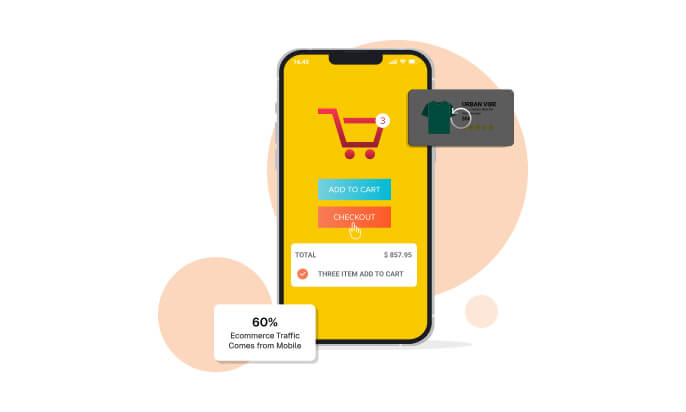
In 2026, more than 60% of ecommerce traffic comes from mobile. WooCommerce store design with Divi 5 should be built mobile-first, not mobile-adapted.
Touch targets — buttons need to be at least 44px tall. Add-to-cart should be full-width on mobile.
Image loading — serve appropriately sized images per device using responsive image attributes.
Checkout on mobile — minimize keyboard input. Use correct input types for numeric and email fields. Offer Apple Pay and Google Pay where available.
Cart visibility — cart icon and item count prominent in the mobile header.
Woo Essential’s Divi 5 WooCommerce modules are built responsive-first, with independent controls for desktop, tablet, and mobile inside the visual builder.
Trust Signals: The Invisible Driver of WooCommerce Conversions
Trust is the foundation of every ecommerce purchase. Your WooCommerce store design on Divi 5 needs to build it at every stage:
- Security badges near the add-to-cart and checkout buttons
- Return policy clarity — “30-day returns, no questions asked” converts better than fine print
- Real written reviews — specifics signal authenticity that aggregate star ratings alone don’t
- Human presence — a credible About page with real people and real contact information
- Response time signals — “Typically replies within 2 hours” on live chat does more than most copy changes
WooCommerce Store Design FAQs
1. What is WooCommerce store design in Divi 5?
WooCommerce store design in Divi 5 means customizing product pages, carts, and checkouts using visual builder tools to improve user experience and conversions.
2. Why do default WooCommerce themes fail?
Default themes are generic and lack conversion-focused elements like trust signals, optimized layouts, and engaging product presentations.
3. How does Divi 5 improve WooCommerce design?
Divi 5 offers flexible design controls and modules to create high-converting product pages, carts, and checkout experiences without coding.
4. What makes a high-converting product page?
A strong product page includes clear benefits, social proof, trust signals, and a prominent add-to-cart button.
5. Is mobile optimization important for WooCommerce stores?
Yes, most users shop on mobile, so responsive design, fast loading, and easy checkout are essential for conversions.
Conclusion
Your WooCommerce store design is either working for you or against you. Default themes aren’t neutral — they’re actively costing conversions every day.
With the right Divi 5 WooCommerce modules, you can build product pages, carts, checkouts, and category pages that compete with stores spending ten times your budget on design — no custom development required.

