



Top 5 Best Divi Essential Modules for Divi 5
Why You Need Third-Party Modules in Divi 5
Divi 5 is officially here. With its official release scheduled for February 26, 2026, Elegant Themes has rebuilt the entire page builder from the ground up — replacing shortcodes with a block-based system, introducing a React-powered visual builder, and delivering dramatic performance improvements across every aspect of the design experience.
But here’s the reality most Divi users face: even with 40+ built-in modules, Divi 5 still lacks specialized functionality that modern websites demand.
Features like auto-generated tables of contents, interactive data tables with CSV import, scroll-tracking progress bars, Contact Form 7 styling, and scrolling text marquees simply aren’t available out of the box.
That’s exactly where Divi Essential comes in. With 70+ custom modules and extensions, it’s the most comprehensive Divi add-on plugin available today — and it’s fully compatible with Divi 5. Trusted by over 120,000 users worldwide, Divi Essential bridges the gap between what Divi ships with and what your website actually needs.
In this guide, we break down the 5 best Divi Essential modules for Divi 5 that solve real problems, improve SEO and user experience, and work seamlessly inside the new visual builder without writing a single line of code.
Quick Comparison: Top 5 Divi Essential Modules at a Glance
Before diving into the details, here’s a side-by-side comparison of all five modules:
Module | Best For | SEO Impact | No-Code | Divi 5 Ready |
Table of Contents | Blog & Long-form | High | Yes | Yes |
Reading Progress Bar | Reader Engagement | Medium | Yes | Yes |
Data Table | Data Display | High | Yes | Yes |
Contact Form 7 Styler | Lead Generation | Medium | Yes | Yes |
Text Marquee | Announcements | Low-Medium | Yes | Yes |
1. Divi Table of Contents — The SEO Powerhouse
If you publish blog posts, documentation, tutorials, or any long-form content, a table of contents (TOC) is no longer optional — it’s essential for both user experience and search engine visibility.
What It Does
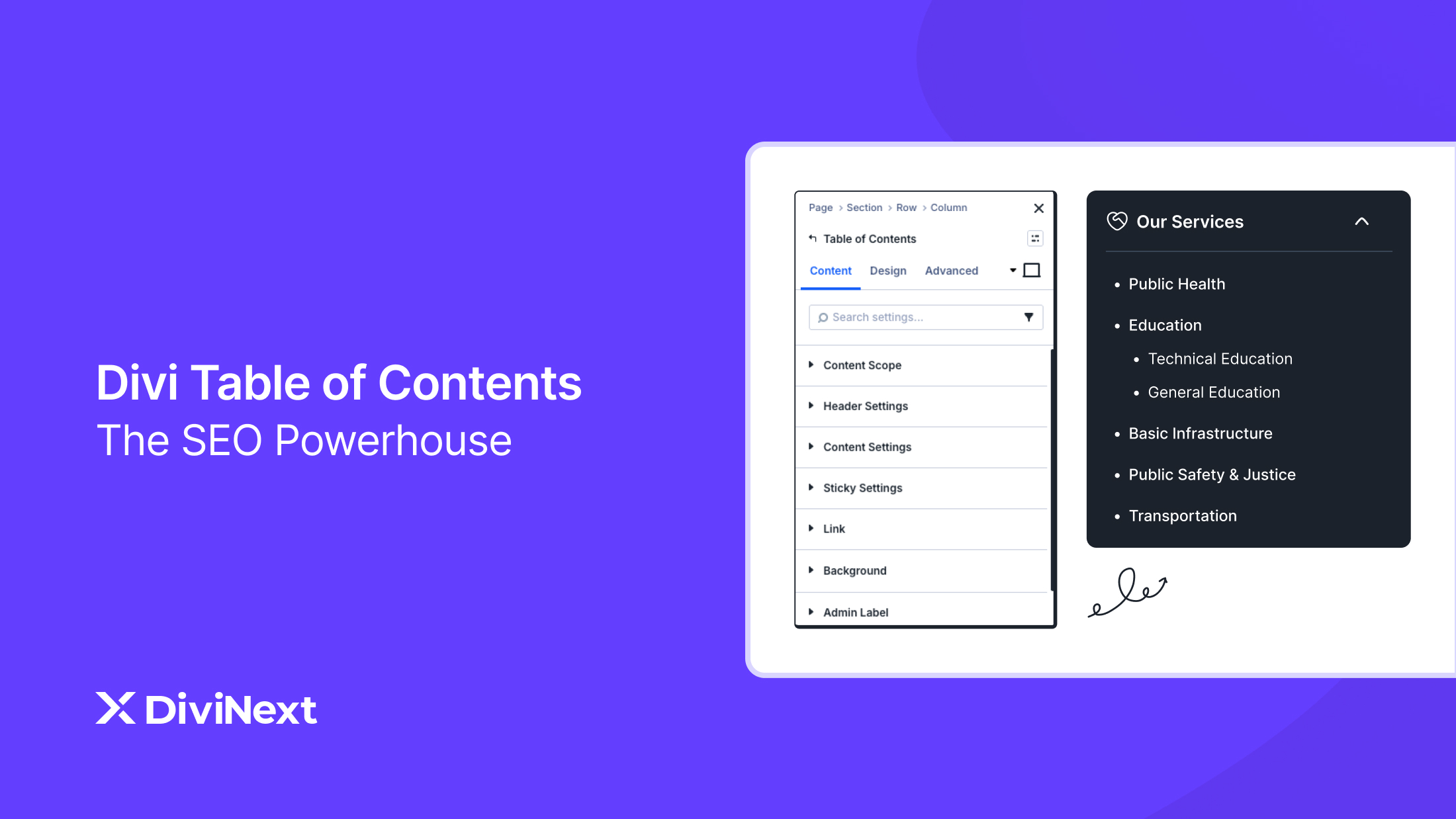
The Divi Table of Contents module automatically scans your page for H1 through H6 heading tags and generates a fully clickable, navigable table of contents. There’s no manual entry required; it detects your content structure and builds the TOC in real time.
Key Features
The module comes packed with functionality designed for professional content-driven websites:
Automatic heading detection: Scans and indexes all heading levels (H1–H6) on the page, building the TOC hierarchy automatically. You can choose which heading levels to include and which to exclude.
Smooth scroll navigation: Every TOC item links to its corresponding section with customizable scroll speed and offset adjustments, so the scroll lands at exactly the right position even with sticky headers.
Sticky positioning: Pin the table of contents to the sidebar or any section of the page so readers always have access to navigation, no matter how far they’ve scrolled.
Advanced list styling: Refresh your table with modern numbering options, including circles, Roman numerals, squares, and more. Full control over fonts, spacing, backgrounds, borders, and shadows.
Complete design customization: Style the header, list items, and active state indicators independently. Adjust typography, colors, background fills, and hover effects to match your site’s brand.
Why It Matters for SEO, AEO & GEO
Tables of contents are one of the strongest on-page SEO signals you can add to long-form content. Google frequently pulls TOC items as jump-to links directly in search results (the indented links beneath a featured snippet), which dramatically increases your SERP real estate and click-through rate.
For Answer Engine Optimization (AEO), a well-structured TOC helps AI systems like Google’s Search Generative Experience, ChatGPT search, and Perplexity understand the topical hierarchy of your content. These engines use heading structure to identify and extract specific answers to user queries.
From a Generative Engine Optimization (GEO) perspective, clear content structure makes your page more likely to be cited as a source when AI models generate responses. The easier your content is to parse, the more likely it is to surface in AI-generated answers.
→ Explore Divi Table of Contents Module
2. Divi Reading Progress Bar — Boost Engagement & Reduce Bounce
Bounce rate is one of the behavioral signals that search engines use to evaluate page quality. A reading progress bar is a deceptively simple UX element that can measurably reduce bounce rates by giving visitors a visual indicator of how much content remains.
What It Does
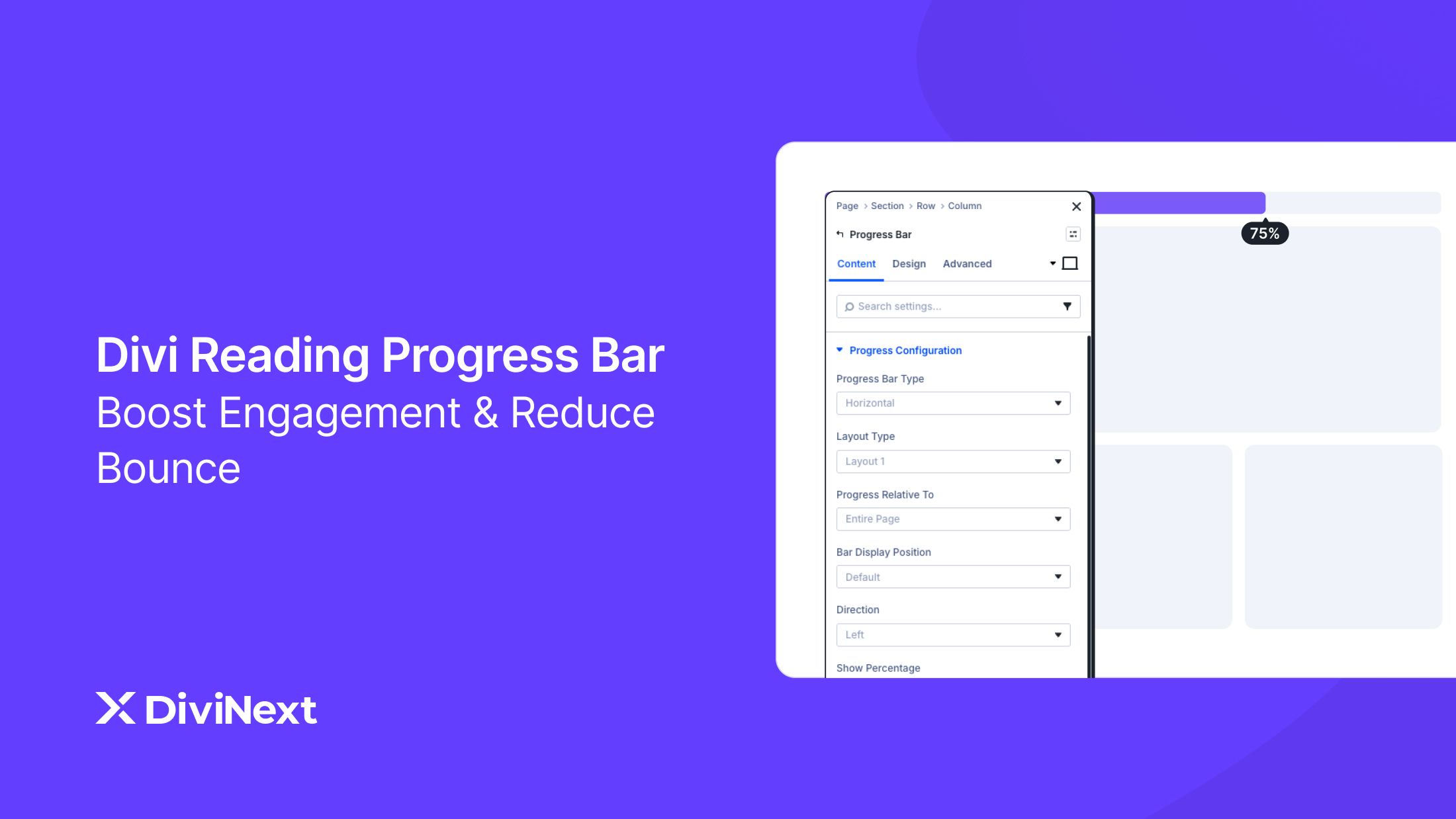
The Reading Progress Bar module displays a horizontal bar (typically at the top or bottom of the viewport) that fills as the user scrolls through your content. It provides real-time visual feedback showing exactly how far the reader has progressed through the page.
Key Features
Automatic scroll tracking: The progress bar tracks page scroll position in real time and updates smoothly as the user scrolls. No manual configuration is needed — it works out of the box.
Flexible positioning: Place the bar at the top of the page, bottom, or any custom position within your layout. You can also control the scroll direction (left-to-right or right-to-left).
Section-specific tracking: Set the progress bar to track scroll relative to the entire page or a specific section. This is especially useful for landing pages where only part of the content is the primary focus.
Percentage display: Toggle a percentage indicator with custom backgrounds, typography, and positioning to give readers exact numeric feedback on their progress.
Complete design control: Customize the bar’s fill color, gradient, background container, border radius, height, and animation behavior. Create smooth progress animations that feel polished and professional.
Why It Matters for SEO, AEO & GEO
Google’s helpful content system evaluates user engagement signals, including time on page and scroll depth. A progress bar encourages readers to finish content by providing a sense of completion — essentially gamifying the reading experience. Higher scroll depth and longer time-on-page send positive signals that your content is valuable and engaging.
For AEO and GEO, engagement metrics indirectly influence whether your content is considered authoritative. If users consistently engage deeply with your content, search engines and AI systems are more likely to surface it as a trusted source.
Pro Tip:
Pair the Reading Progress Bar with the Table of Contents module for the ultimate content engagement combo. The TOC handles navigation while the progress bar tracks completion — together they significantly reduce bounce rates on long-form posts.
→ Explore Divi Reading Progress Bar Module
3. Divi Data Table — Interactive Data Displays, Zero Code
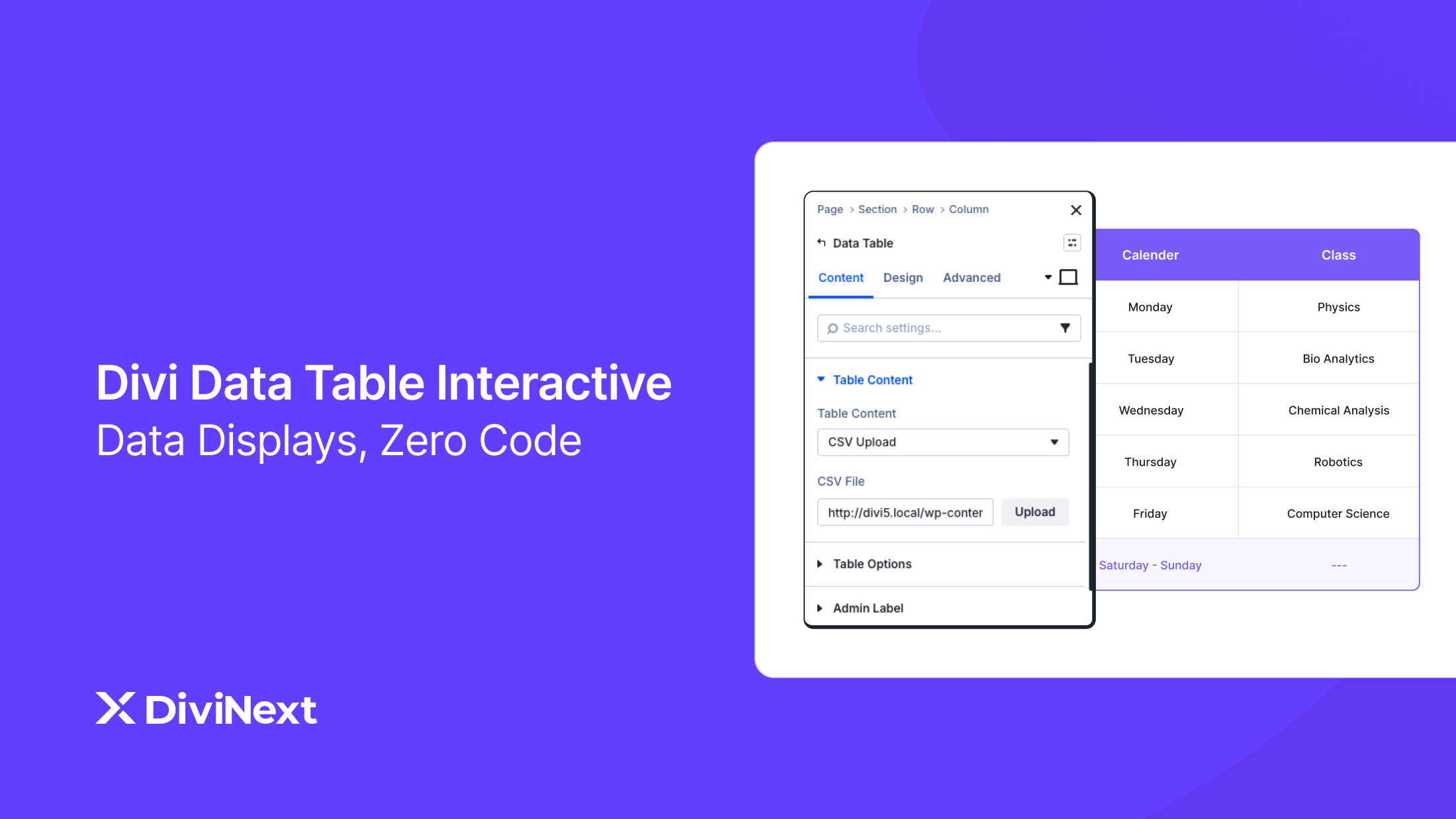
If your website presents any form of structured data — pricing comparisons, product specifications, statistical reports, research data, or team directories — the default Divi table options fall short. The Divi Data Table module transforms raw data into professional, interactive tables with enterprise-level functionality.
What It Does
The Divi Data Table module lets you build feature-rich, interactive tables directly inside the Divi 5 visual builder. You can import data from CSV files, Google Sheets, or databases, or build tables manually with complete visual control over every element.
Key Features
CSV and data import: Upload CSV files, connect Google Sheets, or pull from database sources and watch raw data transform into beautifully styled tables instantly. No manual data entry required for large datasets.
Search functionality: Add a global search bar that filters table content in real time. Style the search input, buttons, and result highlighting to match your design system.
Column sorting: Enable click-to-sort on any column so users can organize data by the criteria that matter most to them. Sort alphabetically, numerically, or by custom order.
Pagination and entry info: For large datasets, enable pagination controls with customizable rows-per-page settings. Display entry count information so users know exactly how much data is available.
Responsive design: Configure mobile-specific layouts to ensure tables remain readable and functional on every screen size. Tables adapt gracefully from desktop to mobile without horizontal scrolling issues.
Alternating row colors: Improve data scanning with alternating row backgrounds, custom header styling, and cell-level design controls including borders, backgrounds, and typography.
Why It Matters for SEO, AEO & GEO
Structured data tables are highly favored by Google for rich results and featured snippets. When your data is organized in clean HTML tables with proper headers, Google can parse and display it directly in search results as table snippets.
This is one of the most effective ways to capture SERP features for comparison-based and data-driven queries.
AI answer engines like Google SGE and Perplexity specifically look for well-structured tabular data to include in their generated responses.
If someone asks a question that your table answers — for example, a pricing comparison or feature matrix — the clean structure of a Divi Data Table makes it far more likely to be cited.
From a GEO standpoint, tabular content is one of the most machine-parseable formats available. When large language models crawl your site for training data or real-time retrieval, well-structured tables provide clear, unambiguous information that’s easy to extract and reference.
→ Explore Divi Data Table Module
4. Divi Contact Form 7 Styler — Convert More Leads with Beautiful Forms
Contact Form 7 remains the most widely used WordPress form plugin, powering over 5 million active installations. The problem? Its default styling is plain, inconsistent, and almost never matches your Divi design. The CF7 Styler module solves this completely.
What It Does
The Divi Contact Form 7 module gives you complete visual control over every element of your Contact Form 7 forms directly inside the Divi 5 builder. Select any CF7 form from a dropdown, and then style inputs, labels, buttons, error messages, and success notifications without touching a line of CSS.
Key Features
Full visual styling: Customize every form element including text inputs, textareas, dropdowns, checkboxes, radio buttons, file uploads, and submit buttons using Divi’s native design controls.
Pre-built form templates: Access ready-to-use form designs that you can import in seconds and customize to match your brand. No need to start from scratch.
Advanced validation styling: Design field-level validation error messages that grab attention without jarring users. Control typography, colors, alignment, and positioning for error states.
Success notification design: Create celebratory success messages with custom fonts, colors, and backgrounds that reinforce your brand after form submission.
Label and placeholder styling: Independent control over form labels and placeholder text styling. Adjust colors, fonts, sizes, and spacing for both states.
Why It Matters for SEO, AEO & GEO
Forms are the primary conversion mechanism for most business websites. A well-designed, on-brand contact form directly impacts conversion rates, which in turn affects how search engines evaluate your site’s authority and value. Pages with higher engagement and conversion signals tend to perform better in rankings over time.
For AEO, having a clear and accessible contact form helps your website satisfy the E-E-A-T (Experience, Expertise, Authoritativeness, Trustworthiness) signals that Google uses to evaluate content quality. A professional-looking form builds trust with both users and the algorithms that evaluate your site.
From a GEO perspective, pages with strong conversion pathways signal that your content is actionable and authoritative — exactly the kind of source that AI models prefer to cite when generating recommendations or answers.
→ Explore Divi Contact Form 7 Module
5. Divi Text Marquee — Attention-Grabbing Scrolling Announcements
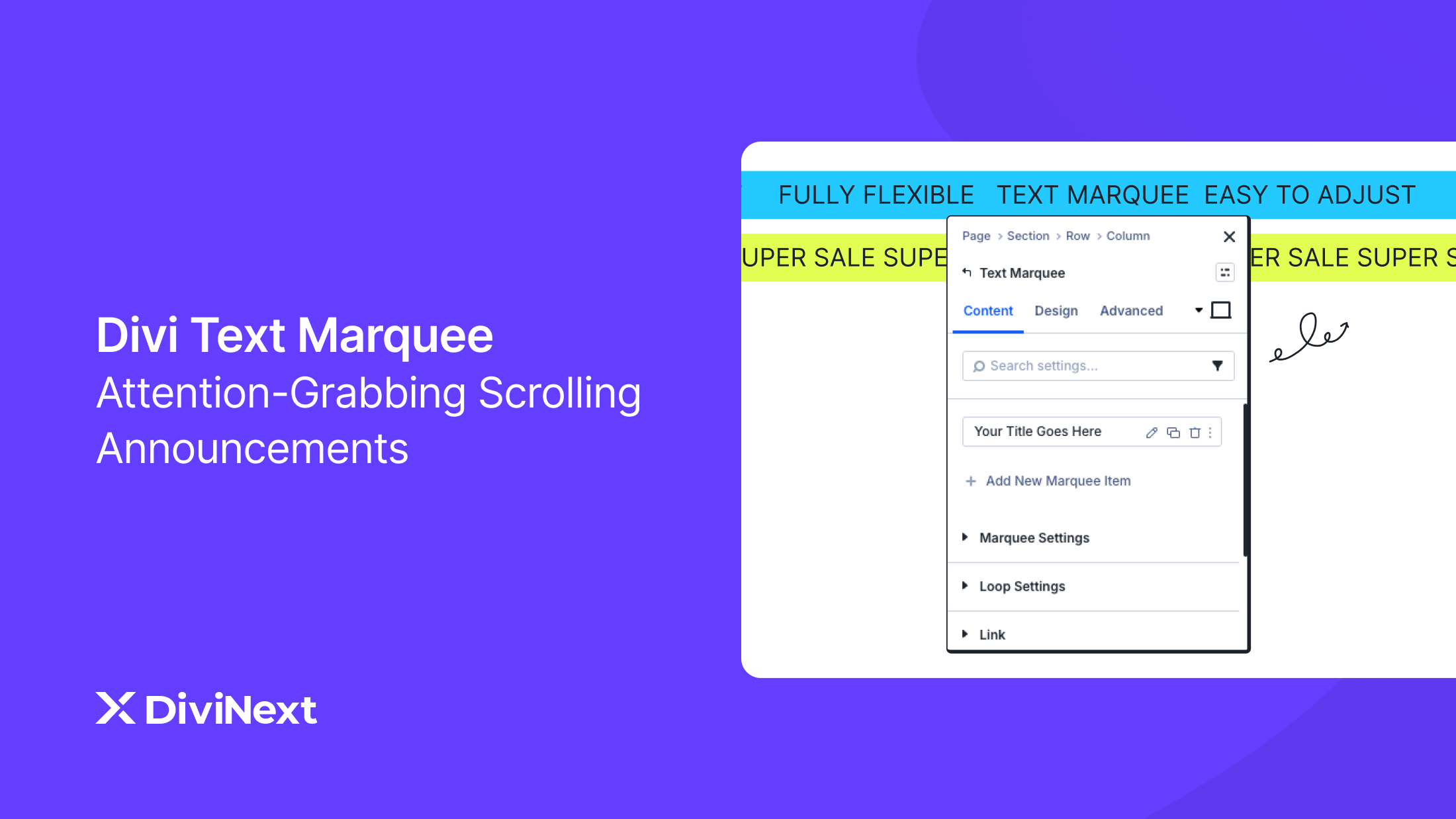
Whether you need to highlight a flash sale, announce a product launch, display client logos, or create a scrolling news ticker, the Text Marquee module delivers eye-catching scrolling text animations that are impossible to ignore.
What It Does
The Divi Text Marquee module creates horizontal scrolling text banners with smooth, continuous animation. Add unlimited text items, each optionally accompanied by icons or images, and configure the scroll direction, speed, and interaction behavior — all from the visual builder.
Key Features
Unlimited text items: Add as many scrolling text elements as you need. Each item can include custom icons or images, making it perfect for client logo scrollers, announcement bars, and promotional tickers.
Scroll direction and speed: Set horizontal scroll direction (left-to-right or right-to-left) and fine-tune the animation speed. Enable continuous looping for non-stop visibility.
Pause on hover: Allow users to pause the scrolling animation by hovering over it, giving them time to read the content. This is essential for accessibility and usability.
Clickable items with custom URLs: Make each marquee item clickable with custom URLs and link targets (same window or new tab). Turn your announcement bar into a direct traffic driver.
Full typography and design control: Customize font families, sizes, colors, text shadows, backgrounds, spacing, and opacity. Apply animations like fade, slide, bounce, or zoom effects for visual variety.
Responsive by default: The marquee automatically adapts to desktop, tablet, and mobile viewports. Content scales and repositions to maintain readability on every device.
Why It Matters for SEO, AEO & GEO
Text marquees are primarily a user engagement and conversion tool rather than a direct SEO signal. However, they contribute to overall page experience by keeping important information visible and reducing the cognitive load on users who need to find announcements or promotions.
For sites targeting local SEO or e-commerce searches, a well-placed marquee announcing current offers can improve click-through rates from search results when users land on the page and immediately see relevant, time-sensitive information.
In the context of GEO and AEO, marquees can surface key brand messages and unique selling propositions that AI systems might reference when describing your business or recommending your products.
→ Explore Divi Text Marquee Module
Why Divi Essential Is the Best Choice for Divi 5
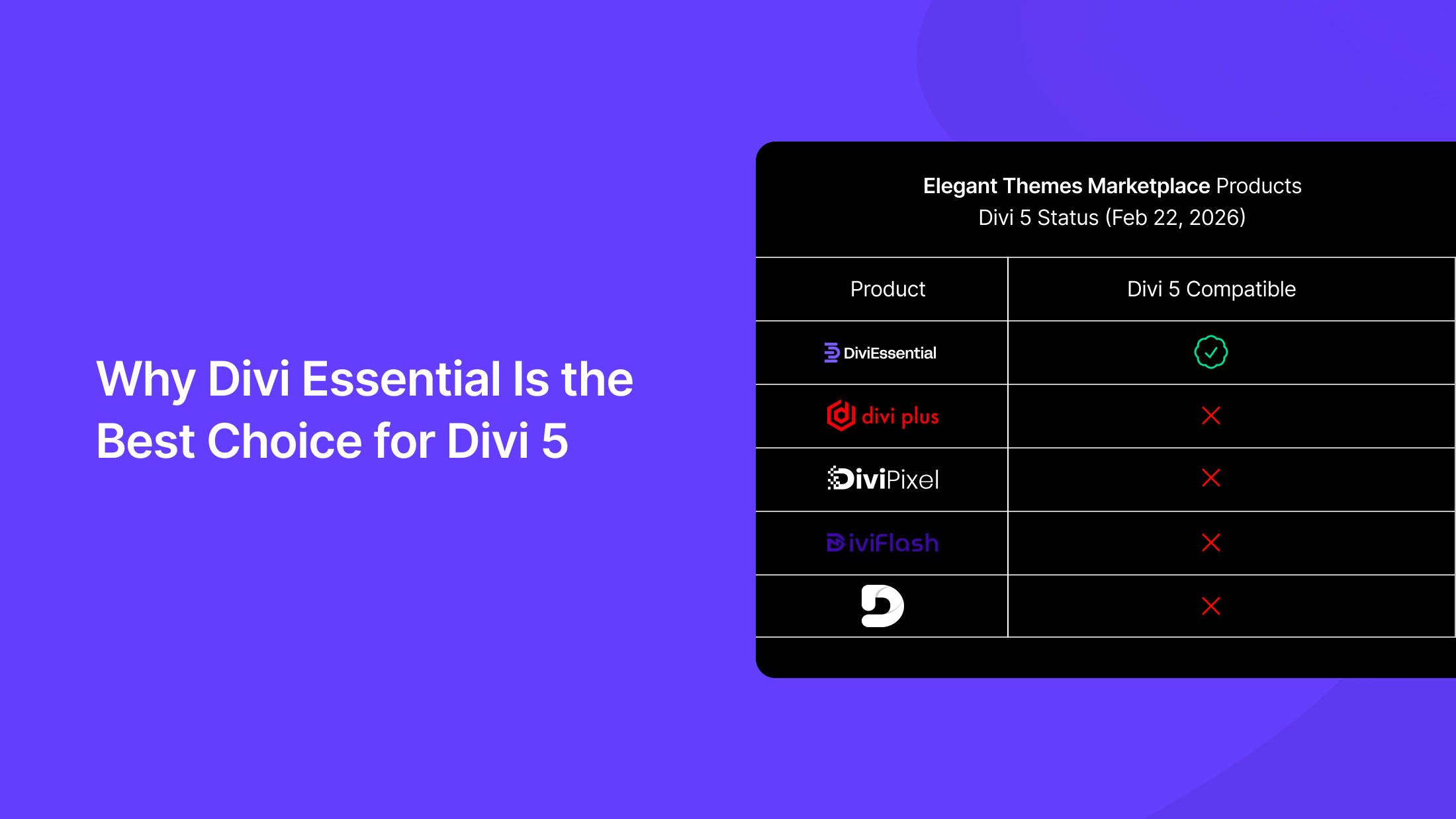
With Divi 5’s official release on February 26, 2026, choosing third-party plugins that are fully compatible with the new architecture is critical. Here’s why Divi Essential stands out:
Full Divi 5 compatibility: All modules have been rebuilt and tested against Divi 5’s new React-powered builder and block-based content system. No legacy shortcode dependencies.
70+ modules and extensions: Beyond the five modules covered here, Divi Essential offers a comprehensive library including 3D flip boxes, image carousels, testimonial sliders, timeline displays, lottie animations, and much more.
120,000+ active users: A proven track record across the Divi ecosystem with consistent updates, active support, and a growing community.
Lifetime license option: Pay once and get lifetime access to all current and future modules — no recurring fees.
30-day money-back guarantee: Try it risk-free. If it doesn’t meet your needs, get a full refund within 30 days.
Frequently Asked Questions
Is Divi Essential safe to use with future Divi updates?
Yes. Divi Essential is built on Divi 5’s block-based, React architecture and avoids legacy shortcodes, making it future-proof for upcoming Divi releases.
Does Divi Essential work on existing Divi 4 websites?
Yes. You can use Divi Essential on Divi 4 today and upgrade to Divi 5 later without rebuilding layouts or losing module settings.
Can Divi Essential help my content appear in AI-generated search results?
Yes. Modules like Table of Contents and Data Tables create structured, machine-readable content that AI search engines use for citations and generated answers.
Is Divi Essential suitable for non-technical users?
Absolutely. All modules are fully visual, no-code, and controlled through the Divi 5 builder interface with real-time previews.
Does Divi Essential increase page size or Core Web Vitals issues?
No. Assets load conditionally per module, reducing unused CSS and JavaScript and aligning well with Divi 5’s performance improvements.
Can Divi Essential replace multiple single-purpose plugins?
Yes. It consolidates common needs like tables, form styling, progress indicators, and content navigation into one optimized plugin.
Is Divi Essential officially verified for marketplace standards?
Yes. Divi Essential meets Elegant Themes marketplace requirements and follows best practices for compatibility, security, and performance.
Final Verdict: Elevate Your Divi 5 Website Today
Divi 5 is a massive leap forward for the Divi ecosystem, but its built-in module library still has gaps that matter for professional websites.
These five Divi Essential modules Table of Contents, Reading Progress Bar, Data Table, Contact Form 7 Styler, and Text Marquee — fill those gaps with polished, feature-rich solutions that improve SEO, boost user engagement, and help your content surface in AI-generated search results.
Whether you’re building a content-heavy blog, a data-driven business site, or a lead-generation landing page, these modules give you the tools to create professional-quality experiences without writing a single line of code.
Ready to get started? Explore all 70+ modules and see what Divi Essential can do for your Divi 5 website.

