



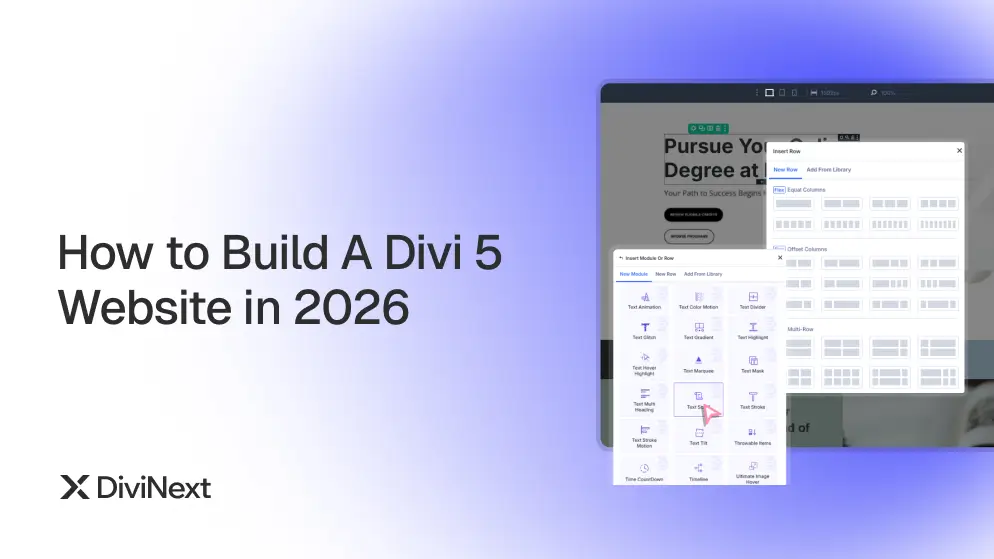
How to Build a Divi 5 Website in 2026 — Complete Guide
Divi 5 changed everything — not in the “we added a few features” way, but in the “we rebuilt the entire engine from scratch” way. If you’re looking to build a Divi 5 website in 2026, you’re working with a faster visual builder, React-powered architecture, and a module system designed for how modern designers actually work.
The problem? Most Divi users are still building the same way they did in 2021. Blank canvas. Module by module. Page by page. Hours turning into days.
There’s a smarter approach. This guide walks you through exactly how to build a Divi 5 website in 2026 — from foundation to launch.
1. Start With Architecture, Not Design
Before you open the Divi 5 visual builder, answer three questions:
What is this site trying to do? Generate leads, sell products, build authority, or all three? Every structural decision flows from this single answer.
Who is the primary visitor? A B2B decision-maker arriving from LinkedIn behaves differently from a consumer clicking a Facebook ad. Your page structure should reflect that.
What does success look like on each page? Every page needs one primary action. Define it before you design anything.
Skipping this step is the single biggest reason Divi 5 website builds take twice as long as they should in 2026.
2. Use Prebuilt Websites as a Foundation
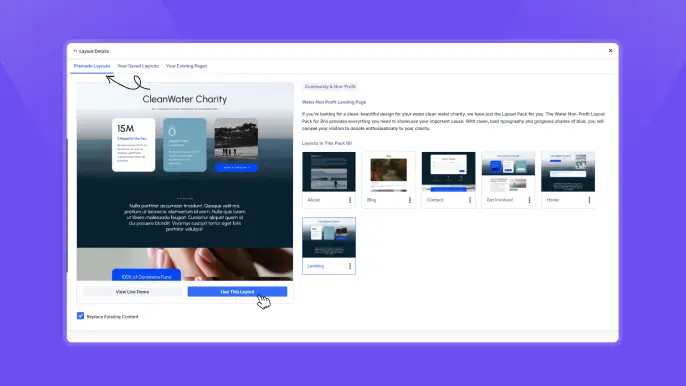
There’s a misconception that using a prebuilt website template produces generic results. The opposite is true when done right.
A prebuilt website gives you a proven page structure, consistent typography and spacing systems, responsive behavior tested across devices, and a starting point that removes hours from your timeline.
The key is treating a prebuilt site as a foundation — not a finished product. Import it, strip the content, keep the structure, and build your design system on top.
Divi Essential includes 8 complete prebuilt websites built natively for Divi 5. Each is structured around a real-world use case — agency, portfolio, ecommerce, SaaS. They’re functional starting points, not decorative templates.
When you build a Divi 5 website in 2026, starting from a proven structure instead of a blank canvas is one of the highest-leverage decisions you can make.
3. Build a Design System First
The biggest time sink in any Divi 5 project isn’t building pages — it’s making inconsistent decisions across pages and fixing them later.
A basic Divi 5 design system includes:
Typography scale — Define H1 through H6 sizes, body text, and captions once. Apply globally. Never adjust font sizes module by module.
Color palette — 2 brand colors, 1 accent, 1 neutral dark, 1 neutral light. Set them as global colors in Divi 5’s theme builder.
Spacing system — Pick a base unit (8px works well) and build all padding and margin values as multiples: 8, 16, 24, 32, 48, 64. Consistent spacing makes layouts feel intentional.
Component library — Build buttons, cards, and section headers once as global modules. Reuse everywhere.
This upfront investment saves hours on every build. Every designer who builds a Divi 5 website in 2026 at a professional level is working with a design system underneath.
4. Choose Divi 5 Modules That Do More
Divi 5’s native modules cover common use cases well. But the difference between a standard Divi site and one that stops visitors mid-scroll usually comes down to a handful of advanced modules:
- Scroll-triggered animations that respond to user behavior rather than loading once
- Advanced carousels with custom transitions and touch controls
- Interactive hotspots that reveal information on hover or click
- Text effects that add motion without custom CSS
- Timeline modules that tell a story visually
Divi Essential’s 100+ Divi 5 modules are built natively for Divi 5’s visual builder. Not patched, not bridged — rebuilt from scratch. These are the modules that separate a generic Divi 5 website build from a professional one in 2026.
5. Optimize Divi 5 Performance Instantly
Divi 5’s architecture is significantly faster than Divi 4. But performance is something you build deliberately.
Images — Use WebP format. Compress before uploading. Set explicit dimensions to prevent layout shift. Lazy load everything below the fold.
Fonts — Two font families maximum. Load only the weights you use. Self-host where possible.
Third-party scripts — Every analytics tool, chat widget, and pixel adds load time. Audit what’s running and remove what isn’t being used.
Caching — Server-level cache plus a CDN for international visitors.
A one-second delay in page load reduces conversions by an average of 7%. When you build a Divi 5 website in 2026, performance is a feature — not an afterthought.
6. Accessibility Is a Requirement, Not a Feature
In 2026, accessibility is a legal requirement across the US (ADA), EU (European Accessibility Act), and other jurisdictions. Beyond compliance, 1 in 4 people has a disability that affects how they use the web.
EaseAccess adds WCAG and ADA compliance to any WordPress site with a single plugin — 8 accessibility profiles, 25+ features, 35+ language support, activated in one click. It’s the fastest way to ensure your Divi 5 website build meets modern accessibility standards without custom development.
7. Test Before You Launch
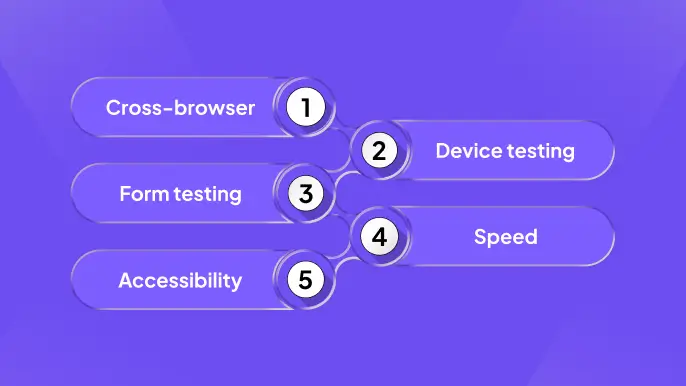
Before any Divi 5 website goes live, it should confidently meet this baseline quality standard:
Cross-Browser Compatibility: Test the site across all major browsers — Google Chrome, Mozilla Firefox, Safari, and Microsoft Edge.Check for layout shifts, font rendering issues, animation glitches, and interactive elements to ensure a consistent experience everywhere.
Real Device Testing: Do not rely only on browser responsive modes. Test the website on actual devices, especially smartphones and tablets.
Pay attention to touch interactions, scrolling behavior, button spacing, and load performance under real network conditions.
Form Validation & Submission Testing: Submit every form on the site — contact forms, opt-ins, checkout, etc.
Verify:
- Successful submissions and confirmation messages
- Email notifications are received correctly
- Error states (empty fields, invalid inputs) display clearly and guide users properly
Performance & Speed Optimization: Use Google PageSpeed Insights to evaluate performance.
Aim for a minimum score of 85+ on mobile, focusing on:
- Image optimization and lazy loading
- Minimizing unused CSS/JS
- Proper caching and CDN usage
- Reducing layout shifts (CLS) and improving loading speed (LCP)
Accessibility Compliance: Run audits using tools like WAVE or axe DevTools.
Fix all critical issues, including:
- Missing alt text for images
- Poor color contrast
- Improper heading structure
- Keyboard navigation limitations
FAQs about Divi 5 Website
1. What is the best way to build a Divi 5 website in 2026?
The best approach is to start with a clear site architecture, use prebuilt website structures, create a design system, and then build pages using optimized modules. This reduces build time and ensures consistency across the entire site.
2. Are Divi 5 modules enough for professional websites?
Divi 5 native modules cover most core needs, but advanced modules can significantly improve design, interactivity, and user engagement. Using extended module libraries can help create more dynamic and conversion-focused websites.
3. Do I need a design system for every Divi 5 project?
Yes, a design system is essential in 2026. It ensures consistent typography, spacing, and colors across all pages, making your website look more professional and easier to maintain or scale.
4. How do I optimize a Divi 5 website for speed?
Focus on image optimization, limiting fonts, reducing third-party scripts, enabling caching, and using a CDN. Tools like Google PageSpeed Insights can help you identify and fix performance issues effectively.
5. Is accessibility required for Divi 5 websites?
Yes, accessibility is no longer optional. Modern websites must follow standards like WCAG and ADA to ensure usability for all users and to meet legal requirements in many regions.
Conclusion
To build a Divi 5 website in 2026 at a professional level means starting with structure, building a design system, choosing native modules, and optimizing deliberately. The result is a site that loads fast, converts visitors, and works for everyone who lands on it.
With plugins like Divi Essential, which offers 100 plus native Divi 5 modules, 700 plus layouts, and 8 prebuilt websites, you can streamline your workflow and build powerful, high performing sites without relying on multiple plugins.

