
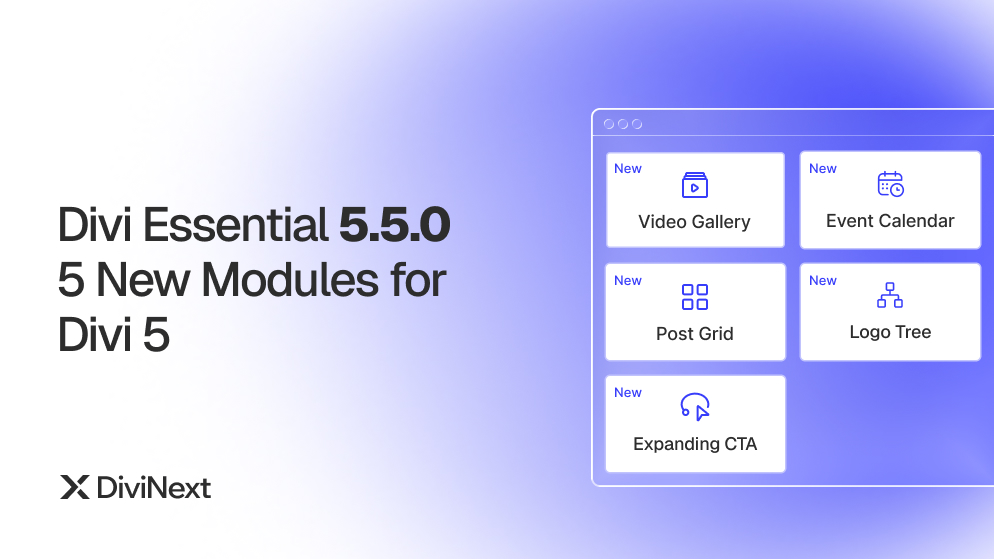
Divi Essential 5.5.0 5 New Modules for Divi 5
Divi Essential 5.5.0 shipped on 3 April 2026. This release adds five new modules built natively for Divi 5: Divi Video Gallery, Divi Event Calendar, Divi Post Grid, Divi Logo Tree, and Divi Expanding CTA. Each one fills a gap that previously needed a third-party plugin or custom code.
If you build sites on Divi 5, this update matters for one reason: it lets you keep more of your page logic inside the Divi builder. No extra calendar plugin. No custom post-loop code. No bolt-on lightbox script. You configure everything from the Divi visual builder using familiar Content, Design, and Advanced tabs.
This post walks through what each new module does, the settings you actually get, and where it fits in real projects.
The 5 New Modules at a Glance
Divi Video Gallery — Filterable video gallery in grid or masonry with a built-in lightbox.
Divi Event Calendar — Self-contained event calendar with five views and category filters.
Divi Post Grid — Blog grid with three layout styles, category filtering, and four pagination modes.
Divi Logo Tree — Hierarchical brand layout with a central main logo and animated branch lines.
Divi Expanding CTA — Scroll-triggered expanding CTA with countdown timer and dual buttons.
Each one ships inside Divi Essential — no separate install required.
Divi Video Gallery
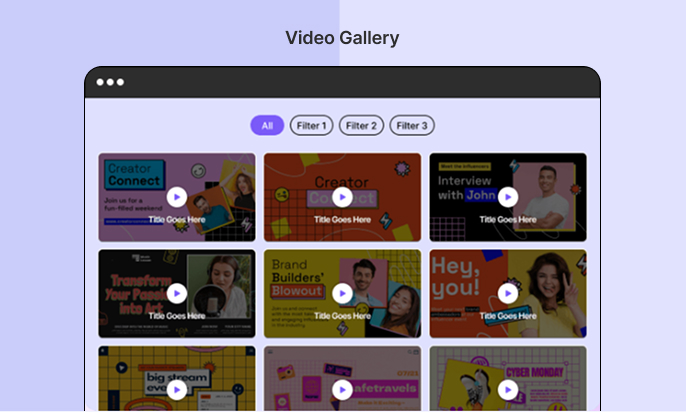
Divi Video Gallery turns a list of videos into a filterable, lightbox-driven showcase. You drop the module on the page, set the layout, and visitors can sort, hover, and play without leaving the page.
Key Features
- Grid or Masonry layout with adjustable column count, column gap, and row gap
- Five aspect ratio presets: 16:9, 4:3, 1:1, 9:16, or Auto
- Category filter bar with Tabs or Pills layout and a custom label for the show-all button
- Lightbox playback with optional autoplay, previous/next navigation arrows, and close-on-background-click
- Hover effects: Zoom, Fade, or None, with independent styling for the play icon size and color
- Display Settings for video title and description: on the card, on hover overlay, on both, or hidden
- Filter Active Item styling with its own background color, border radius, and border
Best Use Cases
- A course site showing lessons grouped by module
- A wedding videographer’s portfolio sorted by event type
- A product page with demo, tutorial, and testimonial video tabs
- An agency case study reel filtered by industry
Why It Matters for Divi 5
Default video embeds break visual rhythm and offer no filtering. With Divi Video Gallery, you keep the layout consistent across screen sizes and let visitors find the right clip without scrolling past everything else.
Module page: Divi Video Gallery
Documentation Page: https://diviessential.com/docs/divi-essential/modules/video-gallery/
Divi Event Calendar
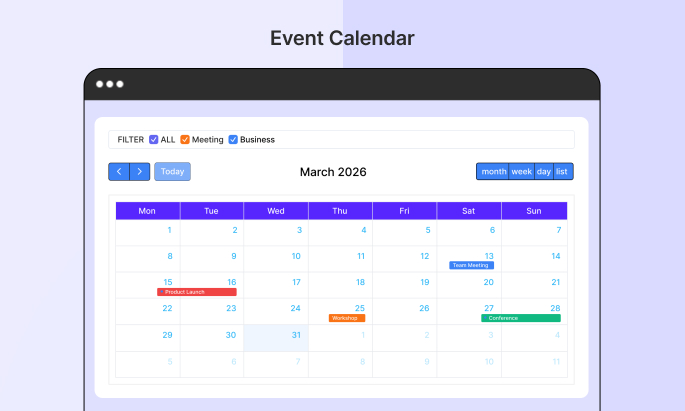
Divi Event Calendar gives you a live, interactive schedule inside Divi without a third-party calendar plugin. You add events from the builder, assign categories, and visitors get a real calendar interface — not a static date table.
Key Features
- Five calendar views: Month, Week, Day, List, and Multi-Month, with any one set as default
- Toolbar toggle so visitors can switch views live (you can show or hide it)
- Per-event background and text color
- Categories with a filter bar above the calendar
- Event modal showing title, category label, start and end date, and time
- Modal styling: background, title color, text color, overlay, and border radius
- Week numbers with ISO week columns
- Hidden Days to remove specific weekdays from the layout
- Calendar Size height slider (default 600px)
Best Use Cases
- A yoga studio publishing weekly class schedules
- A conference site with multi-track session listings
- A community organization showing recurring meetups
- A restaurant displaying live music nights and tasting events
Why It Matters for Divi 5
You no longer need to install a separate events plugin and then style its output. The whole module lives inside Divi Essential, and every visual control is in the builder where you’d expect it.
Module page: Divi Event Calendar
Documentation Page: https://diviessential.com/docs/divi-essential/modules/event-calendar/
Divi Post Grid
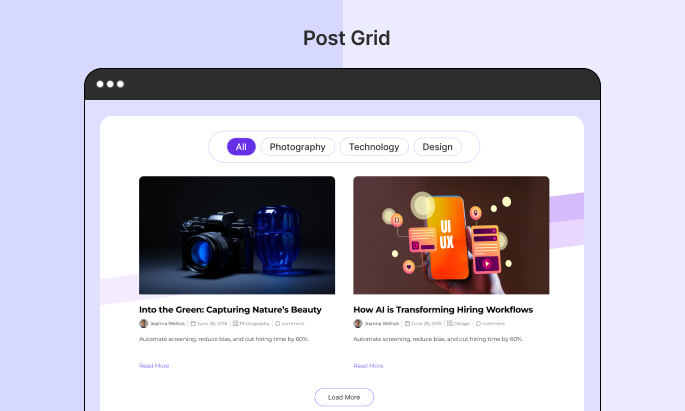
Divi Post Grid is a blog layout module with three distinct visual styles, a category filter bar, and four pagination modes. You configure post type, count, and offset directly from the Content tab — no template files needed.
Key Features
- Three layout styles: Card, Overlay, and Horizontal
- Category filter bar that sorts posts on the same page without a reload
- Post Count and Post Offset to control how many posts show and where the loop starts
- Column count, column gap, and row spacing controls in the Grid section
- Four pagination modes: Load More, Numbered, Infinite Scroll, or None
- Image controls: width, height, border radius, object fit (Cover or Contain), and hover effect
Best Use Cases
- A magazine homepage with a featured row plus filtered category sections
- A knowledge base where visitors filter articles by topic
- A portfolio site mixing case studies across service categories
- A news section with infinite scroll for archive browsing
Why It Matters for Divi 5
Divi’s built-in blog module is intentionally minimal. Divi Post Grid covers the layout, filtering, and pagination work most projects need without dropping down to PHP or hooking in another grid plugin.
Module page: Divi Post Grid
Documentation Page: https://diviessential.com/docs/divi-essential/modules/post-grid/
Divi Logo Tree
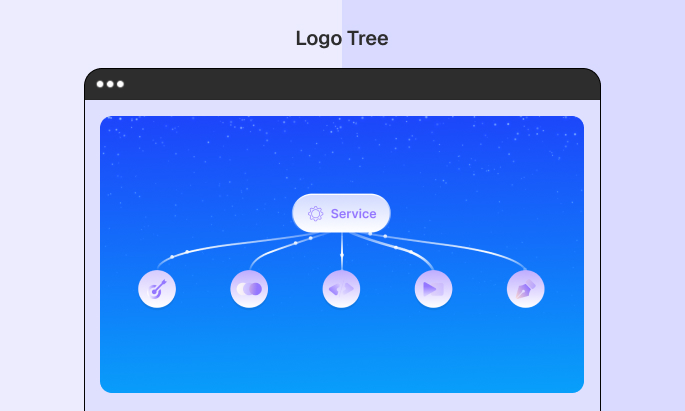
Divi Logo Tree is for the moments when a flat logo grid doesn’t tell the right story. It lets you anchor a parent logo at the top of a tree and connect child logos through animated branches.
Key Features
- Main Logo section for uploading, sizing, and positioning the central parent logo
- Repeatable Logo Tree Items, each with its own logo image, link, and position
- Add, duplicate, or reorder items through the repeatable item builder, with no item limit
- Tree Settings for branch line color, thickness, curve style, and animation
- Adjustable tree spread, node spacing, and connection line behavior
- Background and Design controls for gradients, images, spacing, borders, box shadow, and responsive breakpoints
Best Use Cases
- A holding company showing parent brand and subsidiaries
- A franchise site mapping the head office and regional locations
- An agency displaying retainer clients grouped under industry verticals
- A non-profit linking the main organization to partner programs
Why It Matters for Divi 5
Most logo modules are flat carousels or static grids. Divi Logo Tree adds the one thing those layouts can’t show: hierarchy. It’s purpose-built and uses the native Divi 5 visual builder for every control.
Module page: Divi Logo Tree
Documentation Page: https://diviessential.com/docs/divi-essential/modules/logo-tree/
Divi Expanding CTA
Divi Expanding CTA is a call-to-action module that grows on scroll. You set the trigger, the scale, and the easing, and the CTA expands as it enters the viewport. It also includes a countdown timer and dual button support, so urgency-driven offers don’t need a separate plugin.
Key Features
- Trigger Mode: Scroll into Viewport for automatic scroll-triggered expansion
- Animation controls: Expand Scale, Animation Duration, and Easing (Ease, Ease In, Ease Out, Ease In Out)
- Show Overlay On Expand to dim the page background when the CTA expands
- Dual buttons — primary and secondary, each with independent icon, placement, new-tab, and show-on-hover toggle
- Media support: Icon or Image, positioned Above, Left, or Right of the content
- Countdown Timer with a fixed target date and time, with selectable units to display
- On Expired: Hide CTA to remove the module automatically when the timer ends
Best Use Cases
- A SaaS landing page with a limited-time signup offer
- A course launch with a live countdown to enrollment closing
- A Black Friday banner that expands as users scroll past the fold
- A webinar registration block with two CTAs (Register / Watch Replay)
Why It Matters for Divi 5
Most Divi CTA modules are static. Divi Expanding CTA combines motion, urgency, and dual conversion paths in a single module — and the countdown logic is built in, so you don’t need to wire up a separate timer.
Module page: Divi Expanding CTA
Documentation Page: https://diviessential.com/docs/divi-essential/modules/expanding-cta/
How to Get These Modules
Existing Divi Essential users: Update to version 5.5.0 from your WordPress dashboard under Plugins → Installed Plugins. Make sure your license key is active so the update appears. Once updated, the five new modules show up in the Divi builder’s module list — no configuration needed to enable them.
New users: Visit diviessential.com and pick a license that fits your project count. After purchase, download the plugin from your account, install it on your Divi 5 site, and activate the license key. The new modules are part of the standard module library.
Both Divi 4 and Divi 5 are supported, so a mid-project Divi 5 migration won’t lock you out of the new modules.
Conclusion
Divi Essential 5.5.0 is a practical release. Each of the five new modules replaces a workflow that previously needed a separate plugin, custom code, or a compromise. Video galleries with filtering. A real event calendar.
A blog grid with proper pagination. A hierarchical logo display. A scroll-triggered CTA with a built-in timer.
If you’re building on Divi 5, the value is straightforward: fewer plugins to manage, fewer style overrides to maintain, and more controls inside the visual builder where the rest of your work already lives.
Got Questions About Divi Essential 5.5.0?
1. When was Divi Essential 5.5.0 released?
Latest Divi Essential 5.5.0 released on 3 April 2026.
2. Do the new modules require Divi 5, or do they work in Divi 4?
Divi Essential supports both Divi 4 and Divi 5, and the new modules are built using the native Divi 5 visual builder.
3. Does Divi Event Calendar require a third-party events plugin like The Events Calendar?
No. Divi Event Calendar is fully self-contained inside Divi Essential. You add events directly from the builder.
4. How many child logos can I add to Divi Logo Tree?
There is no limit. Use the Add New Tree Item button to add as many child brand logos as you need, each independently styled and positioned.
5. What pagination options does Divi Post Grid support?
Load More, Numbered, Infinite Scroll, and None. You set the mode from the Pagination section.
6. Can the Divi Expanding CTA hide itself when its countdown ends?
Yes. Enable Show Countdown Timer, set a target date, and set On Expired to Hide CTA so the module disappears automatically when the timer ends.